

STEP 01
STEP 02
STEP 03
STEP 04
STEP 05
STEP 01
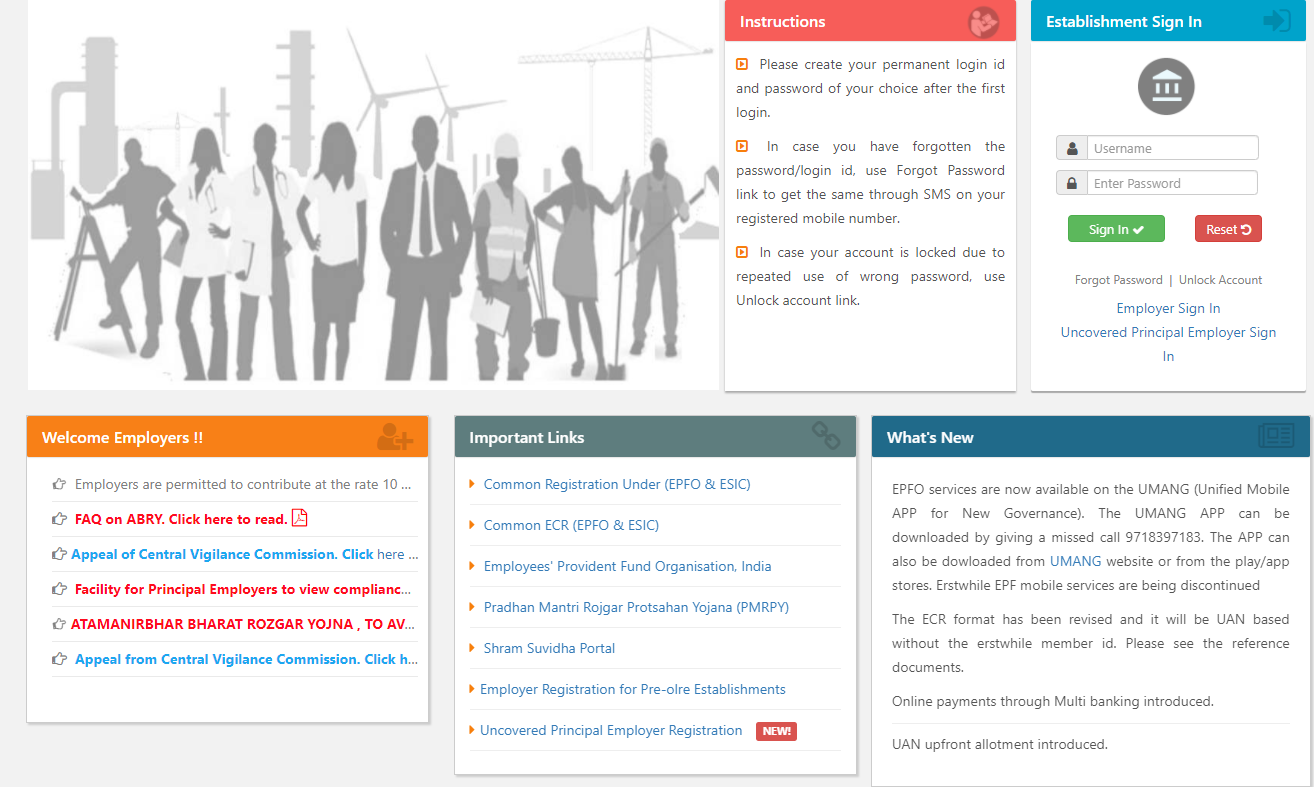
Please enter the username and password given to you through email for each Self Help Groups individually on the right corner and click on Sign In
STEP 02
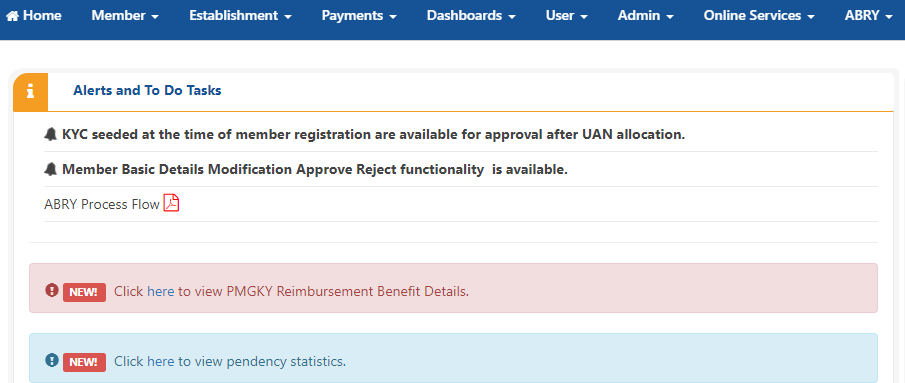
After login you may be required for Email verification, click on Verify later and Click Payments found as 4th Tab
STEP 03
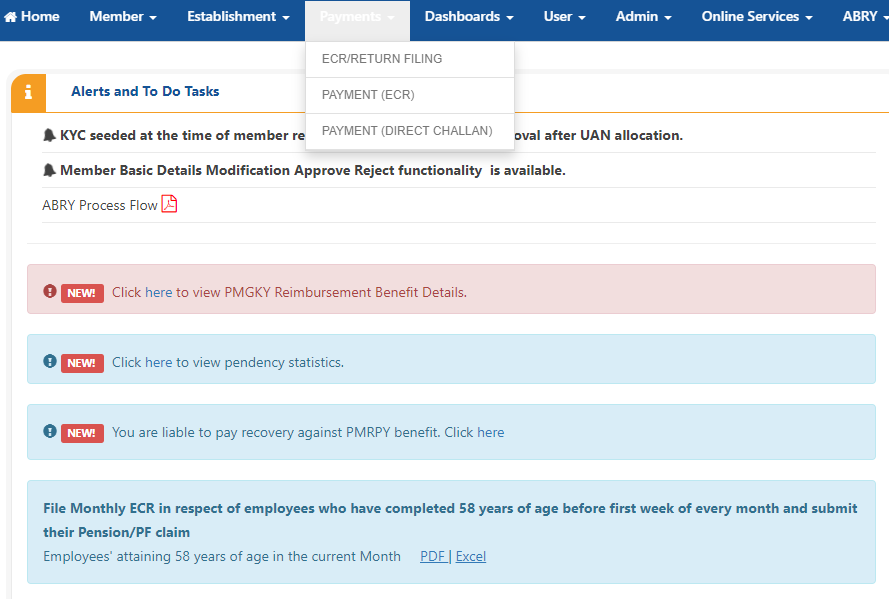
Click on Payment (ECR)
STEP 04
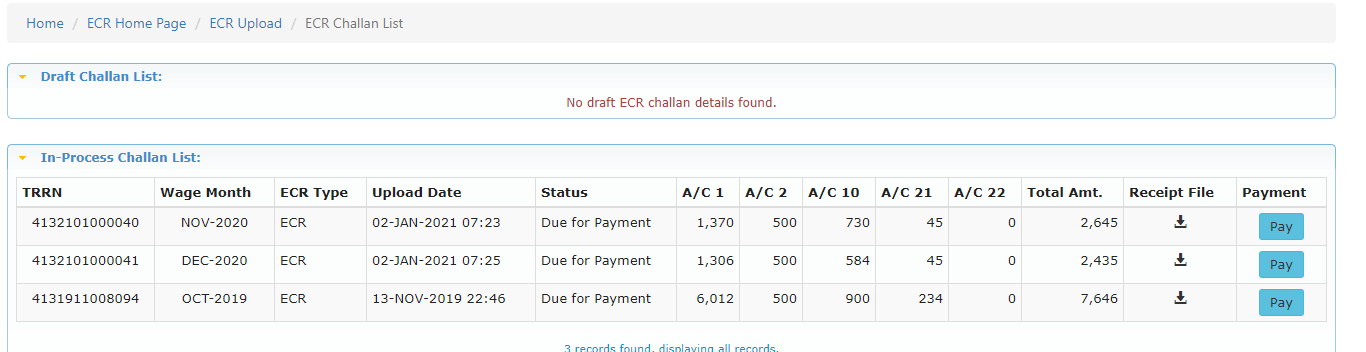
You can see the list of Wage months pending for Payments. Click on Pay button to proceed. Please check you have sufficient funds in your account before proceeding
STEP 05
Select your Bank and Click on Contnue which may leads to Payment Gateway of your Bank !
