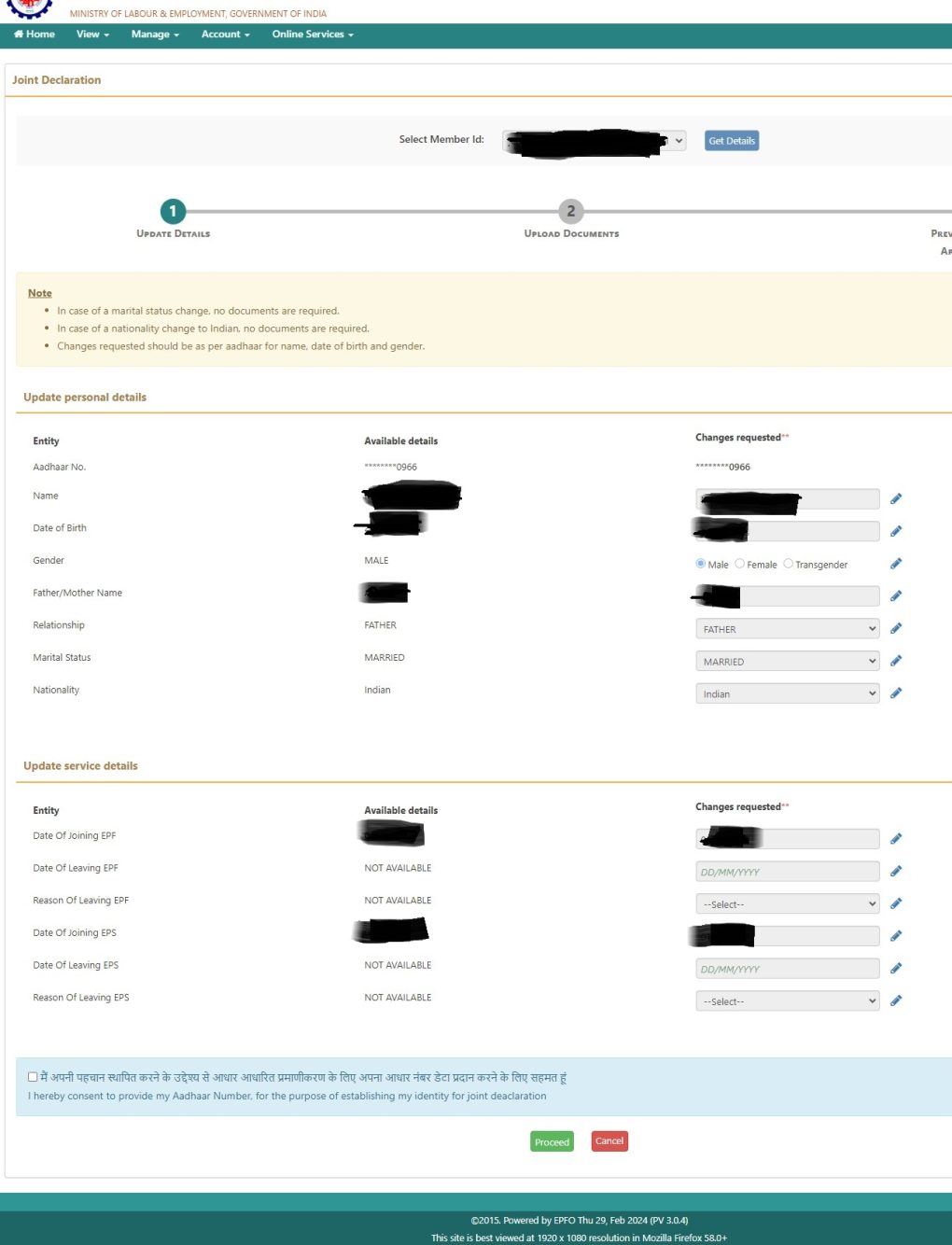
Click on the Establishment Name you wish to update Joint Declaration and submit Get Details
Select the details you wish to edit such as Name / Date of Birth / Gender / Relationship / Date of Joining EPF & EPS / Date of Leaving EPF & EPS.
Select the consent and proceed for document upload.
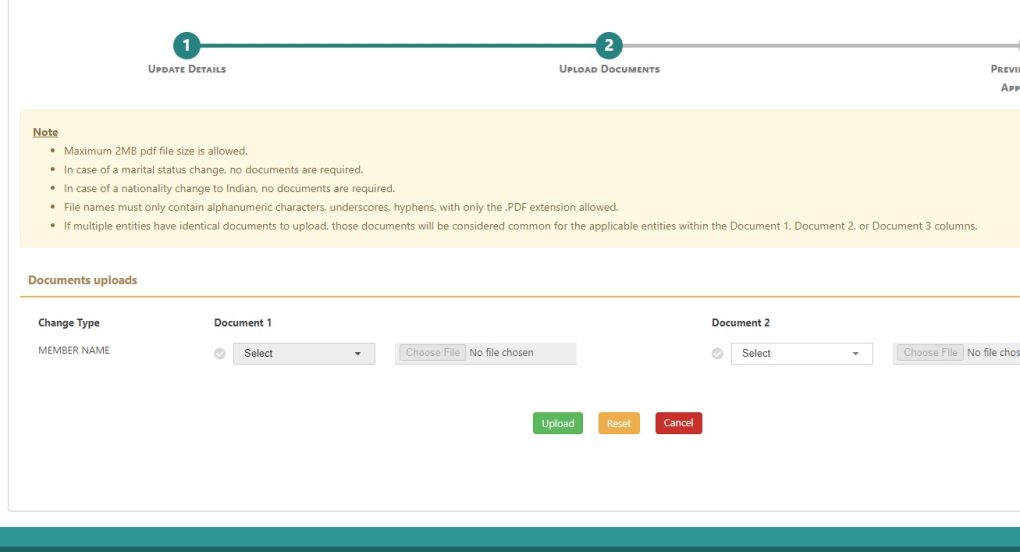
Select any of the documents for uploading the changes in profile. In case of multiple details change select document 2 option.
Proof of documents to be uploaded. Max 2 MB (PDF File only)
Attention Employer :Once employee given request, the employer needs to approve the request using DSC / E-Sign. Then the same will be forwarded to EPFO Office. Time taken for changes to be reflected 7 - 15 working days.
DisclaimerThe details collected from EPFO Member portal is for illustration purpose only and under the sole acceptance of employee and employer.